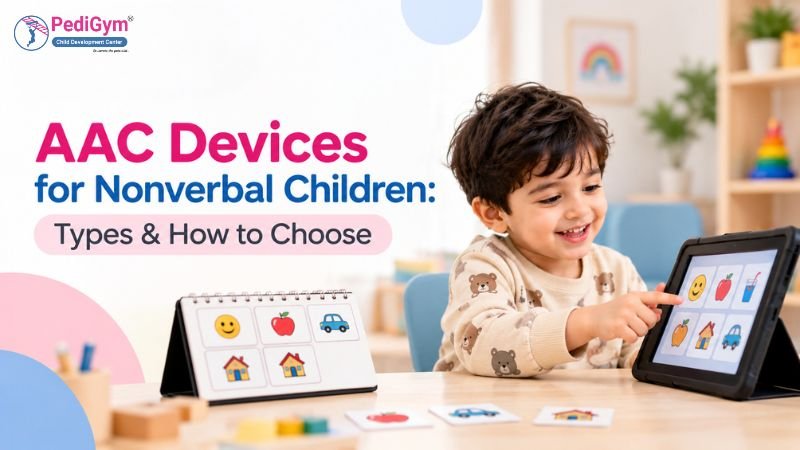
AAC devices for nonverbal children help those who cannot speak, or whose speech is hard to understand. They communicate through pictures, symbols, text, or spoken output. Options range from simple picture boards to tablet-based speech-generating devices. The right choice depends on the child’s communication needs, access abilities, preferences, and everyday environment.
For children with autism, Down syndrome, cerebral palsy, childhood apraxia of speech, or developmental language difficulties, Augmentative and Alternative Communication (AAC) can provide another way to express thoughts, feelings, choices, and needs.
What Are AAC Devices and How Do They Work?
AAC helps children communicate when spoken language alone is not sufficient. A child may point to a picture, select a symbol on a screen, type a message, use sign language, or press a button that produces a spoken word or sentence.
AAC includes two main approaches:
- Unaided AAC: Communication without an external device, such as gestures, facial expressions, and sign language.
- Aided AAC: Communication using an external tool, such as a picture board, communication book, tablet app, or speech-generating device.
AAC can supplement a child’s existing speech or provide an alternative when speech is unavailable or unreliable. It does not require a child to stop working on spoken language.
For example, a child who wants to play outside might point to a playground picture or select “I want to go outside” on a communication device. This gives the child a way to share a meaningful message.
Children do not need a particular level of speech, intelligence, cause-and-effect understanding, or picture-recognition ability before AAC can be considered. A qualified professional can help identify an accessible starting point based on the child’s communication and access needs.
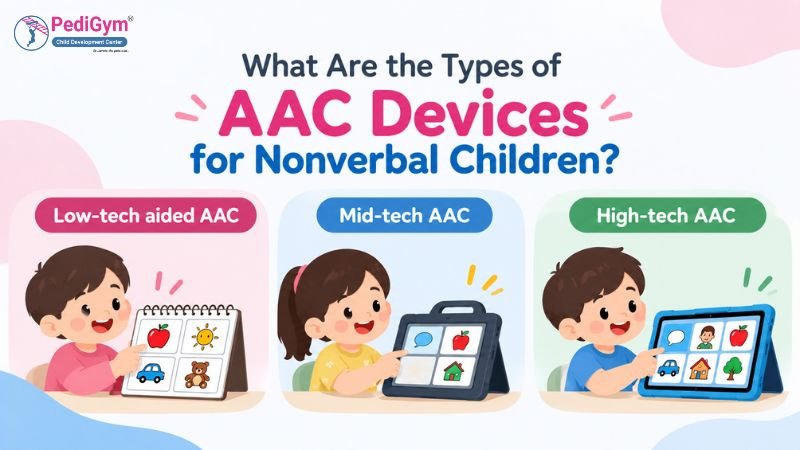
What Are the Types of AAC Devices for Nonverbal Children?
AAC options range from simple, inexpensive communication aids to specialised electronic systems. The best choice is the one the child can access reliably and use across everyday situations.
Type | Examples | Typical use | Limitations |
Low-tech aided AAC | Picture boards, communication books, choice cards | Making choices, requesting, expressing feelings | Vocabulary may be limited unless the board or book is expanded |
Mid-tech AAC | Single- and multi-message buttons, such as Big Mack or GoTalk | Producing recorded words or phrases | Check product availability in India; some devices offer less flexible vocabulary |
High-tech AAC | AAC apps such as Avaz, Jellow Basic, TD Snap, TouchChat, Proloquo2Go, LAMP Words for Life, and speech-generating systems | Building messages, conversations, and broader vocabulary | Costs, training, device access, and compatibility need consideration |
Some options are apps or software for compatible devices, while others are dedicated communication hardware. Check current availability, compatibility, pricing, and access to dedicated devices in India before purchasing. These examples are not a ranking or endorsement.
1. What Are Low-Tech AAC Options?
Low-tech AAC tools do not need electricity or batteries. Picture communication boards, communication books, and choice cards allow children to point to images or words to share a message.
For example, a board might include “eat,” “drink,” “help,” “stop,” “more,” and pictures of familiar foods or activities.
These tools are portable and practical at home, school, and during therapy. They also provide a backup when an electronic device is unavailable, the battery runs out, or there is a power cut.
2. What Are Mid-Tech Communication Devices?
Mid-tech systems use simple electronic technology to produce recorded or programmed messages. A child may press a button to hear a word, phrase, or request.
Examples include single-message buttons and devices with several buttons linked to different recorded messages.
These devices may help children learn that pressing a button can communicate a message. However, their vocabulary may be more limited than that of advanced systems.
3. What Are High-Tech AAC Devices?
High-tech systems include tablets, communication apps, dedicated communication devices, and speech-generating technology. They may display pictures, symbols, or words on a screen and speak a selected message aloud.
Speech-generating devices can support communication ranging from simple requests to longer sentences, depending on the system and the child’s needs.
Dedicated Speech-Generating Devices
Some children may benefit from a dedicated speech-generating device (SGD), a communication device designed specifically to support communication. Unlike a general tablet with an AAC app, some dedicated devices offer features such as reinforced casing, specialised access options, mounting support, or restricted access to other apps.
Examples used internationally include:
- NovaChat by PRC-Saltillo: A dedicated communication device with customisable vocabulary and touchscreen access.
- Accent by PRC-Saltillo: A speech-generating device with different access options and communication software.
- QuickTalker Freestyle by AbleNet: A dedicated speech device that supports compatible communication apps.
These are international examples, not a confirmed list of devices available in India. Models and product availability can change, so families should check current specifications, purchasing arrangements, local technical support, and language options directly with the supplier before making a decision. A speech-language pathologist with AAC experience can help assess whether a dedicated device or an AAC app on a tablet is more suitable for the child.
Common features of high-tech AAC systems may include:
- Customisable vocabulary and picture symbols.
- Voice output for selected words or sentences.
- Options to organise vocabulary into categories.
- Different access methods, such as touch, switches, or eye gaze.
- Vocabulary that can expand as communication skills develop.
Switch scanning lets a child move through choices and select one using a switch rather than directly touching each symbol. Eye gaze technology tracks where a child looks so they can select items on a screen. These methods may help children who have difficulty using their hands, but a professional should assess which access method is suitable.
The most advanced or expensive system is not always the best. Choose one the child can access and use meaningfully throughout the day.
AAC Devices for Children with Autism
Some children with autism understand more language than they can express through speech. Others may have difficulty communicating wants, needs, emotions, or social messages. AAC can offer these children another way to communicate.
AAC devices for children with autism may use picture symbols, communication apps, or speech-generating technology. The appropriate option depends on the child’s communication abilities, sensory preferences, motor skills, and daily routines.
For example, a child might use a picture to request a favourite activity, select “finished” after completing a task, or use a speech-generating device to participate in a classroom conversation.
Make sure the child’s vocabulary includes more than requests. Add words for rejecting, commenting, asking questions, expressing feelings, and interacting socially.
AAC Apps for Nonverbal Children
AAC apps for nonverbal children run on compatible tablets or other devices. Depending on the app, children may select symbols, combine words, type messages, or generate spoken output.
Before choosing an app, consider:
- Whether the child can access the screen comfortably.
- Whether the symbols and words are clear and meaningful.
- Whether the app supports communication beyond basic requests.
- Whether the vocabulary can grow with the child.
- Whether the app is practical at home, school, and therapy.
- Whether the family can learn to use and maintain it consistently.
A general-purpose tablet with a communication app may suit some children. Others may benefit from a dedicated device with added durability, specialised access features, or fewer distractions.
Avaz AAC
Avaz offers language options for users in India, including Hindi, Tamil, Kannada, Malayalam, Telugu, and Marathi. Avaz states that it can be personalised for Gujarati and Bengali.
However, language availability does not guarantee that every word, phrase, label, or voice option will suit a child. Check the vocabulary depth, language-specific labels, voice output, and customisation options before choosing an app.
Avaz advertises a free two-week trial. Check the current terms on the official Avaz page before starting a trial or purchasing a subscription.
Jellow AAC
Jellow offers picture-based communication support. Jellow Basic is listed as a free option, with language support that includes Hindi, Marathi, Bengali, Tamil, and others. Jellow Plus is a separate subscription-based option, so check the current features and pricing for the version you intend to use.
Test whether the pictures, vocabulary, labels, and voice output match the child’s communication needs. A free app can be a useful starting point, but its suitability depends on how the child can access and use it.
See the Jellow Basic page for current information.
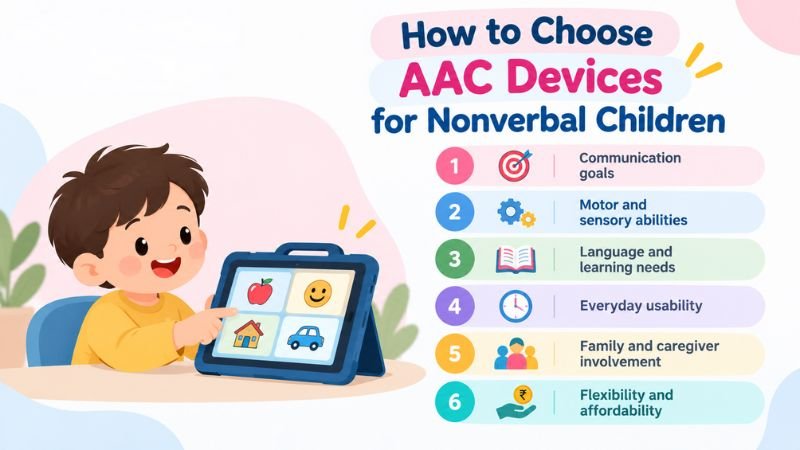
How to Choose AAC Devices for Nonverbal Children
Match the system to what the child wants to say, how they can access it, and where they’ll use it. An AAC option should support meaningful communication in everyday situations, not just during therapy sessions.
Consider these factors:
- Communication goals: Identify what the child needs to communicate, including requests, emotions, questions, choices, refusals, comments, and social interactions.
- Motor and sensory abilities: Consider whether the child can point accurately, touch a screen, use a switch, or benefit from another access method.
- Language and learning needs: Select a system that matches the child’s current abilities while allowing vocabulary and communication skills to develop.
- Everyday usability: The system should be practical at home, school, in the community, and during therapy.
- Family and caregiver involvement: Parents, teachers, and therapists should learn how to model and encourage communication consistently.
- Flexibility and affordability: Compare initial costs, maintenance, durability, customisation, and the possibility of expanding the system over time.
An assessment by a qualified speech-language pathologist (also commonly called a speech therapist) or AAC professional can help families evaluate options and develop an individualised communication plan. A trial period may also show whether a system works in real-life situations.
Which AAC System Should You Try First?
The following table offers general starting points, not a diagnosis or a substitute for an individual assessment.
If your child… | Possible starting point | What to consider |
Points to objects or pictures to communicate | A low-tech picture board or communication book | Include words for more than favourite items and requests |
Has limited hand control or difficulty touching small icons | A larger-button layout, switch access, or another adapted access method | Ask a qualified professional to assess access options |
Uses a few spoken words but struggles to express complete messages | A picture-based or text-and-symbol AAC system | Keep spoken words available while expanding communication options |
Becomes distracted by a tablet | A low-tech board, a simplified AAC screen, or a dedicated communication device | Keep communication tools separate from entertainment where practical |
Uses several languages at home | A system with suitable vocabulary and voice options for those languages | Check the depth and accuracy of each language, not just whether it is listed |
No single device suits every child. Families can start with an accessible communication tool and seek professional guidance about whether a more flexible system would help.
Core and Fringe Vocabulary: What Should an AAC Board Include?
A useful AAC system includes both core vocabulary and fringe vocabulary.
- Core vocabulary includes frequently used words such as “I,” “want,” “more,” “help,” “go,” “stop,” “not,” “it,” and “finished.” These words can be useful across many activities and situations.
- Fringe vocabulary includes words linked to a particular child, person, activity, place, or interest, such as a family member’s name, a favourite toy, a specific food, or a school subject.
For example, a child’s board might include core words such as “want,” “help,” and “finished,” alongside fringe words such as “ball,” “mango,” or a sibling’s name. Both types matter: core words support flexible communication, while fringe words help children talk about specific interests and experiences.
Review the vocabulary regularly as the child’s routines, interests, and communication skills develop.
How Can Parents Teach a Child to Use AAC?
Children learn AAC through repeated opportunities to see and use communication in everyday situations. Parents can include it in familiar routines rather than waiting for a therapy session.
Try these practical strategies:
- Model a useful message: During snack time, select “want,” then the name of the food, while saying the words aloud.
- Build it into routines: Use “help” while opening a container or “finished” when putting away toys.
- Give the child meaningful choices: Show two activities and allow enough time for the child to respond using speech, pictures, signs, or their device.
- Acknowledge the message: If the child selects “stop,” pause when it is safe to do so and respond to what they communicated.
- Make communication accessible: Keep the board or device within reach and bring it along to meals, play, school, and outings.
- Expand naturally: If the child selects “ball,” you can model “want ball” or “big ball” without requiring the child to repeat the longer phrase.
AAC modelling, sometimes called aided language input, involves communication partners using the child’s AAC system while speaking naturally. ASHA’s practice portal discusses AAC assessment and intervention, including the importance of considering the individual’s communication needs and context.
Avoid forcing the child to use the device or withholding essential items until a particular symbol is selected. AAC should support communication, autonomy, and meaningful participation.
For multilingual families, use languages that are meaningful in the child’s everyday life. Parents, grandparents, teachers, and other caregivers can model communication in the languages they naturally speak, provided the selected system supports the needed vocabulary and language options. Check that important words are available in each language rather than assuming all translations are equally complete.
See the ASHA Augmentative and Alternative Communication Practice Portal.
What If a Child Does Not Use the AAC Device?
If a child does not use an AAC device straight away, do not assume the child is unwilling or unable to communicate. The system may be difficult to access, the vocabulary may not match the child’s needs, or communication partners may need more practice modelling it.
Try these steps:
- Check access: Make sure the child can reach the board or operate the device comfortably.
- Check the vocabulary: Include meaningful words for requesting, refusing, commenting, asking for help, and expressing feelings.
- Model without pressure: Use the device yourself during a familiar activity instead of repeatedly asking the child to select a word.
- Look for practical barriers: Check battery life, volume, screen layout, distractions, and whether the device is available when the child needs it.
- Review with a professional: If the system remains difficult to use, ask an AAC-experienced speech-language pathologist to review the vocabulary, access method, and communication plan.
Some children need time and repeated opportunities to become familiar with AAC. Keep responding to their existing communication attempts while making the system easier to use.
Does AAC Prevent a Child from Learning to Speak?
No. AAC does not inherently prevent speech development. Research has examined whether AAC interventions affect speech production in children with autism and related communication needs.
Schlosser and Wendt (2008) reviewed AAC interventions for children with autism or pervasive developmental disorders not otherwise specified (PDD-NOS). Most studies reported increases in speech, though gains were modest. The review found that AAC did not impede speech production.
White et al. (2021), published in the Journal of Autism and Developmental Disorders, reported improved speech production overall, but speech gains did not exceed gains in AAC use, and outcomes varied.
AAC progress should not be measured only by the number of spoken words. A child who communicates effectively through pictures, signs, typing, or a speech-generating device is developing valuable communication skills.
Research References
- Schlosser, R. W., & Wendt, O. (2008). Effects of augmentative and alternative communication intervention on speech production in children with autism: A systematic review. Schlosser & Wendt (2008) on PubMed.
- White, E. N., Ayres, K. M., Snyder, S. K., Cagliani, R. R., & Ledford, J. R. (2021). Augmentative and alternative communication and speech production for individuals with ASD: A systematic review. Journal of Autism and Developmental Disorders. White et al. (2021) article.
What Does AAC Cost in India? Is Funding Available?
AAC costs vary depending on whether a child uses a printed picture board, a free or paid app, a compatible tablet, or specialised communication hardware. Compare the full cost, including subscriptions, accessories, repairs, training, and future vocabulary needs.
Low-tech boards can be inexpensive to create and can serve as a backup for electronic systems. Some AAC apps have free versions, while others offer paid features or subscriptions. Avaz advertises a free two-week trial; check the current terms and the app version before relying on it. Jellow Basic is listed as free, while Jellow Plus is a separate subscription option. Prices and features can change.
What About the ADIP Scheme?
India’s Assistance to Disabled Persons for Purchase/Fitting of Aids and Appliances (ADIP) scheme supports access to specified assistive aids and appliances, subject to its current rules and eligibility requirements. Do not assume that every AAC app, tablet, or communication device is covered.
The published information states approval up to 31 March 2026, so verify whether the scheme has been extended. Check the current list of eligible aids, eligibility conditions, and documentation requirements directly with the official ADIP scheme page before making financial plans.
When Should Parents Seek Professional Guidance?
Consider seeking professional guidance if your child has difficulty expressing needs, communicating consistently, participating in conversations, or making themselves understood through speech.
Early guidance can help families explore suitable options and learn how to use them in daily routines. AAC may be used alongside speech therapy, occupational therapy, special education, and other individualised developmental supports when appropriate.
AAC devices for nonverbal children should be chosen according to the child’s individual communication goals and access needs. A qualified professional can help families compare options and decide whether an AAC-specific assessment or referral is appropriate.
PediGym Child Development Center provides paediatric therapy support in Faridabad and Gurgaon. Contact the centre through its verified contact details to ask about available speech therapy services. If an AAC-specific assessment is needed, ask whether an AAC-experienced speech-language pathologist is available or request a referral to an appropriate professional.
Frequently Asked Questions
1. What are the best AAC devices for nonverbal children?
The best option depends on the child’s communication goals, motor abilities, sensory needs, and daily environment. Options include low-tech picture boards, mid-tech buttons, and high-tech AAC apps or speech-generating devices.
2. At what age can a child start using AAC?
AAC can be considered early when a child needs communication support. There is no universal minimum age; the system should suit the child’s individual needs.
3. Are AAC devices suitable for children with autism?
Yes. AAC may help children with autism communicate needs, feelings, choices, and ideas through pictures, symbols, signs, or spoken device output.
4. Do children need to understand pictures before starting AAC?
Not necessarily. Children do not have to meet a specific picture-recognition, speech, or intelligence prerequisite before AAC is considered. A qualified professional can help identify an accessible starting point.
5. Can a child use AAC and speech therapy together?
Yes. AAC and speech therapy can be used together when appropriate, with goals tailored to the child’s communication needs and abilities.
6. Does AAC stop children from talking?
No. Research has found that AAC does not impede speech production. Some children make spoken-language gains, but outcomes vary, and progress should also include communication through AAC.
7. Is there a free AAC app in India?
Jellow Basic is listed as a free AAC option. Avaz advertises a free two-week trial, but families should check the current terms and app version. Compare language support, vocabulary, accessibility, and ongoing costs.
8. Does Avaz support Indian languages?
Avaz lists several Indian-language options, including Hindi, Tamil, Kannada, Malayalam, Telugu, and Marathi. Avaz states that it can be personalised for Gujarati and Bengali. Check the current vocabulary, labels, and voice output in the languages your child uses.
9. Can AAC be used at school?
AAC can support classroom participation, communication with teachers, and interaction with peers. Discuss the child’s communication needs with the school and the professionals involved. Make sure the communication system remains accessible during lessons and everyday school routines.
10. What should parents do if an AAC device is unavailable or runs out of battery?
Keep a low-tech picture board or communication sheet as a backup. Include essential messages such as “help,” “stop,” “more,” “finished,” “yes,” “no,” and “I need a break,” along with words that are meaningful to the child.
Conclusion
AAC devices for nonverbal children can provide more opportunities to express needs, share feelings, participate in everyday activities, and build meaningful connections. Options range from simple picture boards to customisable speech-generating technology. The right choice depends on each child’s abilities, preferences, and communication goals.
With individualised assessment, consistent modelling, and collaboration between families and professionals, AAC can become a practical part of a child’s daily communication.
About PediGym Child Development Center
Dr. Nitin, Founder of PediGym Child Development Center, is a paediatric therapy expert and DMI Level C Certified Therapist leading structured, evidence-based therapy programmes in Faridabad and Gurgaon. DMI stands for Dynamic Movement Intervention, a therapy approach focused on motor skills and postural control.
Disclaimer:
This article provides general educational information and is not a substitute for an individual assessment or professional advice. A child’s AAC needs should be evaluated with qualified professionals familiar with their communication, access, and developmental needs.

Dr. Nitin, Founder of PediGym Child Development Center, is a dedicated pediatric therapy expert and DMI Level C Certified Therapist leading structured, evidence-based therapy programs in Faridabad and Gurgaon. Under his guidance, PediGym provides comprehensive pediatric rehabilitation focused on improving motor skills, coordination, sensory processing, speech clarity, and functional independence through personalized intervention plans.